Mac mini Cloud Rental Compact form, powerful compute
Built for Xcode, CI/CD, and Apple ecosystem workloads
All-new ultra-compact design with full macOS and Apple M4 – no need to buy hardware, rent a cloud Mac mini on demand. Deploy builds, signing, and inference to the data center; keep your laptop for development. Bare-metal dedicated delivery with remote desktop access – experience close to local.
Bare-metal M4 dedicated · Dedicated IPv4 · 1 Gbps
Asia-Pacific & US West multi-region · Daily/weekly/monthly/quarterly
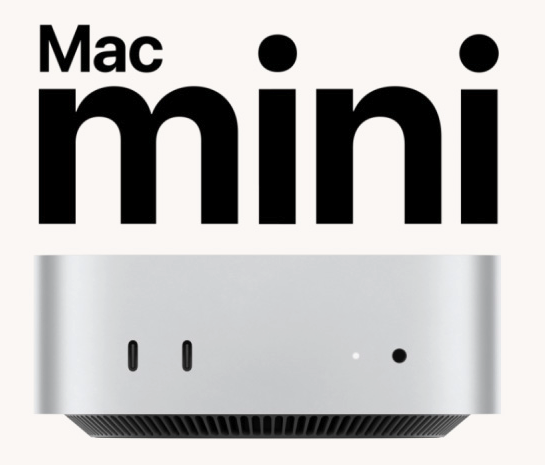
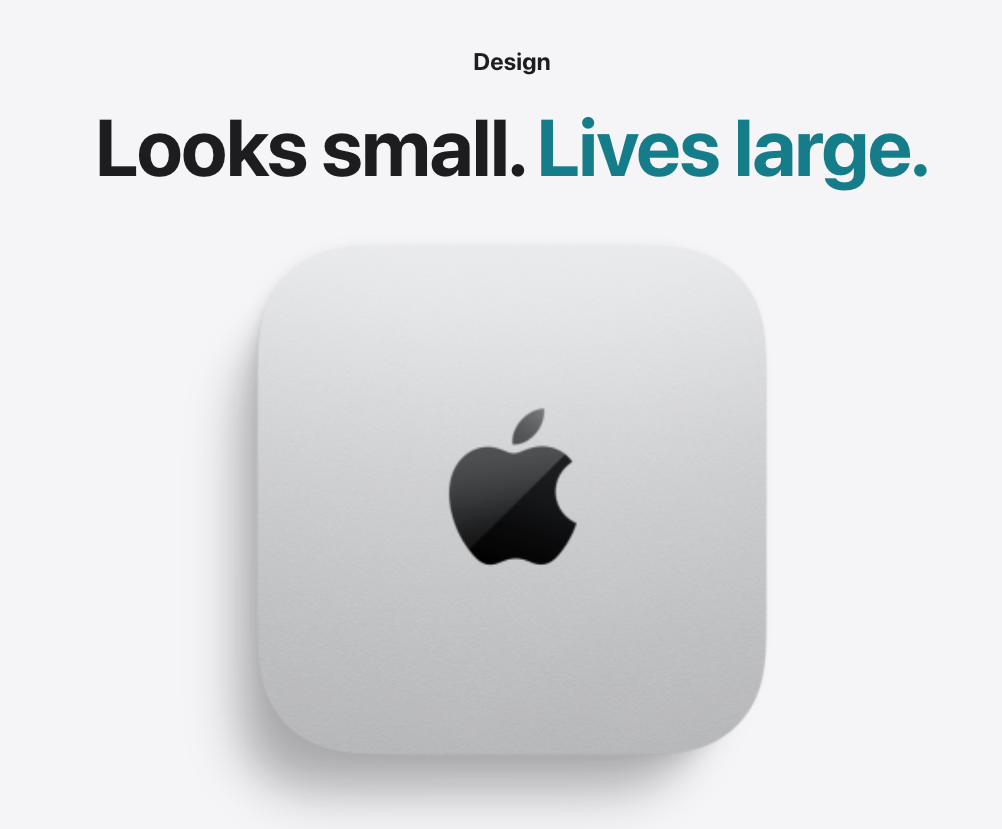
~12.7 cm (5-inch) square compact chassis – pure performance and practicality. Built with Apple chip design to fully unleash M4 speed and performance; rich ports front and rear. Zilmac delivers the entire physical machine to the data center – professional cooling and power, 24/7 silent operation, truly compact yet powerful.
5″
~12.7 cm square · Ultra-compact design
M4
Apple chip · Performance and efficiency
8 ports
Front USB-C · Rear Thunderbolt / Ethernet / HDMI
Mac + Local machine
combo – four steps to cloud Mac
Zhou Yang
01
Choose Configuration
Select M4 memory, disk, data center, and billing cycle on the Pricing page; no login required.
02
Complete Payment
Daily/weekly are usually one-time; monthly/quarterly are subscriptions. After payment, the order is merged into your account.
03
Ticket Activation
Payment triggers the delivery queue; activation progress and power operations are handled via tickets.
04
Remote Access
Get SSH/VNC from the console; detailed steps in the Help Center connection guide.
Rent cloud Mac, buy a Mac mini, or use shared VMs?
Cross-border · Isolation
After selecting the nearest node, cross-border latency improved and we no longer accommodate a single time zone.
Local Physical Machine
One-time cost from $799
Network and maintenance depend on local environment
Liu Ke
Zilmac · Bare-Metal M4
Cloud Mac mini Rental
From ~$96.1/month, daily trial available
Entire Mac mini dedicated · Dedicated IPv4
Full macOS · Ideal for Xcode, CI & AI
Multi-region deployment · Scale with projects
Common Shared Options
Time-shared / virtualized desktop
Covering every development workflow
Real macOS, dedicated compute and network—from signing to CI, all within the same Aurora experience.
Multiple project certs & environments prone to interference
Performance
M4. Performance to the next level.
Outstanding graphics capability, more compute power. Apple M4 features leading CPU cores for smooth operation of everything; powerful GPU and hardware-accelerated ray tracing for more realistic rendering. Unified memory architecture lets Xcode compiles, simulator parallelism, and AI workloads run at full speed in the data center.
M4 · 24GB / 512GB
Multi-branch CI, IDE and simulators simultaneously, 3D rendering and AI experiments in parallel. The top tier for teams with persistent pipelines and large dependency caches – from ~$199.1/month.
M4 · 16GB / 256GB
Single-project development, lightweight builds and daily trials – from ~$96.1/month.
Run the full Xcode toolchain in the cloud: genuine macOS, signing and debugging closer to production.
macOS natively supports Xcode, Homebrew, Docker, and common apps like Microsoft Office and the Adobe Creative Suite.
Testing & Quality Assurance
XCTest, UI automation, and multi-version simulator validation on dedicated machines.
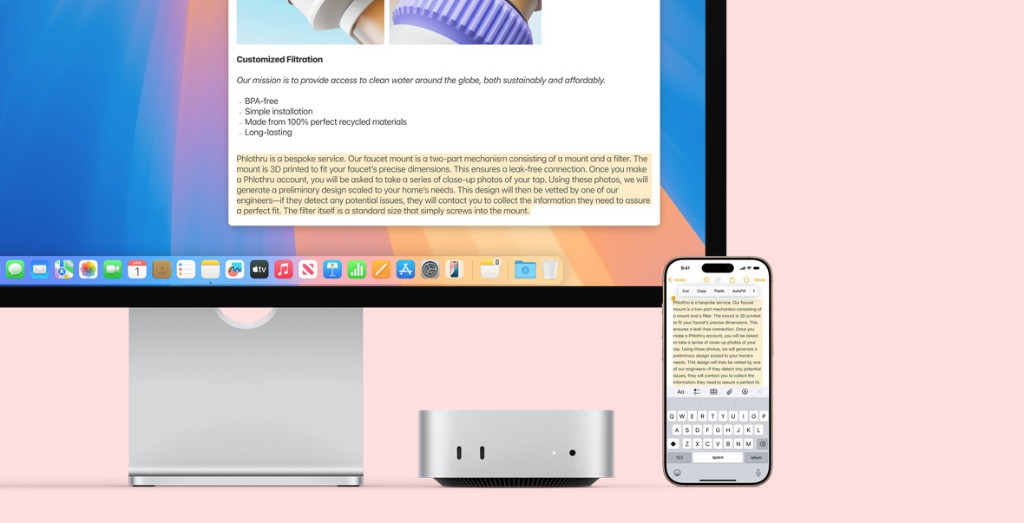
Mac mini pairs perfectly with existing monitors and accessories – you can also pair a Windows/Linux laptop with a cloud Mac, assigning work without owning physical hardware long-term for short-term tasks.
Code locally
Edit and debug on Windows/Linux; transfer files and run scripts via SSH; heavy compiles, signing, and simulators go to the cloud M4.
View GUI via VNC
GUI desktop over VNC to view simulators and UI results; also copy-paste between iPhone and local machine, then build on cloud Mac.
Choose the nearest node
Singapore, Japan, South Korea, Hong Kong, US East, US West – choose the region closest to your team to reduce remote latency.
Daily trial
First verify compile speed and network latency on a daily cycle, then switch to monthly/quarterly – far lower trial cost than buying hardware.
Configuration Selection
Apple M4 bare-metal – choose the tier that fits your workload
Unified memory architecture gives Xcode compiles and simulator parallelism more headroom; Mac mini is the most compact Mac – rent on demand to unlock full M4 performance. When unsure, start with 16GB or a daily trial.
Personal · Starter
M4 · 16GB / 256GB
$96.1/ month
Single-project, scripting, and everyday SSH development
Memory usually sufficient when simulator concurrency is manageable
Choose nodes closest to your team to reduce remote desktop and transfer latency. Inventory subject to Pricing page.
Expansion Capabilities
Plug and play, expand on demand
Mac mini pairs perfectly with Studio Display, Magic Keyboard, and more – in the cloud, expand disk, add Thunderbolt interconnect, and adjust billing cycles on demand; select add-ons on the Pricing page and order together with the host.
Disk +1TB / +2TB
For code repos, dependency caches, image archives, and video assets; billed on the same cycle as the host.
Thunderbolt Interconnect
High-speed multi-machine interconnect, suitable for collaborative builds and multi-node pipelines.
Flexible Billing Cycles
Daily/weekly are usually one-time; monthly/quarterly are subscription renewals – choose long cycles for persistent builds.
Order without login
After payment on the Pricing page, log in with the same browser to merge the order into your account; guest orders don't affect subsequent instance management in the Dashboard.
Full macOS – run your entire toolchain at full speed
Cloud instances run standard macOS with powerful built-in apps and a complete ecosystem for work and development – from Xcode, iOS Simulator, Docker, Homebrew, to Microsoft Office and the Adobe Creative Suite, all run natively.
Xcode & SwiftiOS SimulatorFlutterReact NativeFastlaneGitHub ActionsDockerCore ML / Local InferenceXcode & SwiftiOS SimulatorFlutterReact NativeFastlaneGitHub ActionsDockerCore ML / Local InferenceXcode & SwiftiOS SimulatorFlutterReact NativeFastlaneGitHub ActionsDockerCore ML / Local Inference
Xcode & SwiftiOS SimulatorFlutterReact NativeFastlaneGitHub ActionsDockerCore ML / Local InferenceXcode & SwiftiOS SimulatorFlutterReact NativeFastlaneGitHub ActionsDockerCore ML / Local InferenceXcode & SwiftiOS SimulatorFlutterReact NativeFastlaneGitHub ActionsDockerCore ML / Local Inference
Developer Freedom
Install any software you want
Cloud Mac mini delivers full macOS with admin rights – no sandbox, no restrictions. Install what you need and start building.
Xcode
Docker
Homebrew
VS Code
Git
Node.js
Flutter
Cursor
Homebrew, pip, npm, CocoaPods, cargo... whatever your stack needs, it's all here. Full sudo access.
Why Zilmac
Renting a cloud Mac – a flexible alternative to buying a Mac mini
Official Mac mini starts at $799; Zilmac from ~$96.1/month with daily trials available – get the same M4 and full macOS without hardware investment and local maintenance.
No hardware upfront
From ~$96.1/month, daily trials available; flexible delivery – upgrade to monthly/quarterly when satisfied.
Bare-metal dedicated
The entire Mac mini is yours, not a time-shared VM; compute and isolation are predictable.
Multi-region data centers
Asia-Pacific & US West 6 nodes – deploy closest to your team.
Transparent billing
Daily/weekly/monthly/quarterly – live pricing on the Pricing page; add-ons clearly itemized.
Ticket delivery
Progress, power operations, and tech support are all tracked via tickets – records are traceable.
User Feedback
Different teams, the same macOS base
Below are stylized examples reflecting key experience points along common usage paths.
'Each repo runs CI on an isolated instance; signing certs and build environments are completely isolated – the release pipeline no longer interferes across projects.'
'After moving model inference and training to remote M4, the laptop only handles orchestration and debugging. Resources spin up and down on demand – costs and iteration pace are much more controllable.'
'After connecting to the Asia-Pacific node, latency for cross-border team collaboration via VNC dropped noticeably – remote debugging feels much closer to working locally.'
Ready to experience the compact yet powerful Mac mini?
From daily trials to quarterly subscriptions, select M4 config and data center in one step on the Pricing page – full macOS, Apple M4 chip, rent on demand, activate instantly.